Data sanitization software is any tool that renders data on a storage device permanently unrecoverable, following a defined standard such as NIST 800-88, so the device can be reused, recycled, or disposed of without risk of exposure. Most ITAD operators already know that definition. The real problem is narrower and more practical: which tool sanitizes *your* media mix to standard, because the right method for an HDD is the wrong method for an SSD, and a tool that nails one can quietly fail the other.
Core capabilities to look for in any tool worth evaluating:
- Overwriting and erasure for HDDs using one-pass or multi-pass patterns
- Cryptographic erase for self-encrypting drives (SEDs)
- Clear, Purge, and Destroy method support under NIST 800-88
- SSD and NVMe handling via ATA Secure Erase, NVMe Format, or NVMe Sanitize commands
- Tamper-proof certificates tied to device serial numbers
- Verification and reporting that confirm every sector was addressed
The gap between “wiped” and “defensibly sanitized” is where ITAD operations win or lose contracts. A formatting pass or a factory reset leaves recoverable data on the platter. A certified erasure tool overwrites or purges to a published standard, by the correct method for the media in hand, and then generates a tamper-proof certificate. This guide ranks the best data sanitization software by the media it handles, explains the NIST 800-88 methods, and covers the proof layer auditors demand.
Table of Contents
NIST 800-88 Clear, Purge, and Destroy for ITAD operations
NIST Special Publication 800-88 is the governing media-sanitization reference in North America. The current revision, SP 800-88 Rev. 2, was published in September 2025 and now defers the specific technique details to IEEE 2883, while the same risk-based logic still applies. That logic sorts every action into three categories, and choosing the wrong one for the media is a compliance failure even when the data is technically gone.
Clear: method and when it applies
Clear uses standard read-and-write commands to overwrite all addressable storage locations. It protects against simple recovery tools, not against laboratory-grade techniques. Use Clear for low-sensitivity assets headed for internal reuse or donation, where the threat model is casual recovery.
Purge: the method for higher security requirements
Purge makes data infeasible to recover even with state-of-the-art lab equipment. For HDDs that means a verified overwrite or degauss. For SSDs and NVMe drives, Purge uses firmware-level Sanitize or Cryptographic Erase commands that reach hidden areas like over-provisioned cells. Most ITAD contracts serving regulated industries require Purge as the minimum standard.
Destroy: when the drive cannot leave intact
Destroy renders the media physically unusable through shredding or incineration, and software alone cannot achieve it. When a client’s classification demands physical destruction, your sanitization software should still log the serial and the disposition method before the drive enters the shredder.
Standards note: Some RFPs still name DoD 5220.22-M or HMG IS5. Treat these as legacy. The Department of Defense dropped DoD 5220.22-M as its cited method, and it predates SSDs. Tools list it for backward compatibility, not because it reaches further than NIST 800-88 or IEEE 2883 on current media.
Why drive type decides the method (and the tool)
This is the part a generic wipe utility gets wrong, and it is the reason media type, not brand, should drive your choice.
HDDs: overwrite works, and is provable
Spinning platters have predictable geometry and a linear write path. A verified overwrite reaches every addressable sector, and the result can be read back and confirmed. For HDDs, a mature overwrite engine meets Clear or Purge cleanly.
SSDs and NVMe: overwrite is not enough
SSDs and NVMe drives use a Flash Translation Layer that remaps logical addresses to physical NAND cells, so over-provisioned space, wear-leveled blocks, and retired cells sit outside the range a host-level overwrite can reach. An overwrite can report success while leaving recoverable data on the chip. Purge here requires firmware-level commands, ATA Secure Erase, ATA Enhanced Secure Erase, NVMe Format, or NVMe Sanitize, issued directly to the controller. A tool that falls back to overwrite-only on an SSD is performing Clear at best, not Purge. NVMe adds another wrinkle, because it runs on PCIe rather than SATA, and some bootable tools built for SATA do not detect NVMe drives at all.
Mobile devices: a different sanitization path again
Smartphones and tablets rely on cryptographic erase through the device’s own secure enclave, not drive overwrites. If your line processes mobile alongside drives, the tool has to handle both, or you license two.
The takeaway: verify, drive model by drive model, that the tool sends the correct command before you buy licenses in bulk. The ranking below is organized around exactly this.
How to choose data sanitization software for enterprise and ITAD
Evaluate every tool against your actual media mix and volume. A three-person shop wiping 200 mixed drives a month has different needs than a data center sanitizing 10,000 NVMe drives in a weekend.
- Device coverage. HDDs, SSDs, NVMe, USB media, and mobile? Some tools specialize.
- Standards support. Does it map to NIST 800-88 Clear and Purge and to IEEE 2883?
- Automation and scale. Can you boot 50 drives at once from a PXE server, or touch each with a USB stick?
- Deployment model. On-premises bootable media, cloud-managed console, or both?
- Reporting depth. Serial, make, model, method, standard, timestamps, and pass/fail verification on every certificate?
- Integration. Can it export results to your asset-tracking system so the outcome lands on the record automatically?
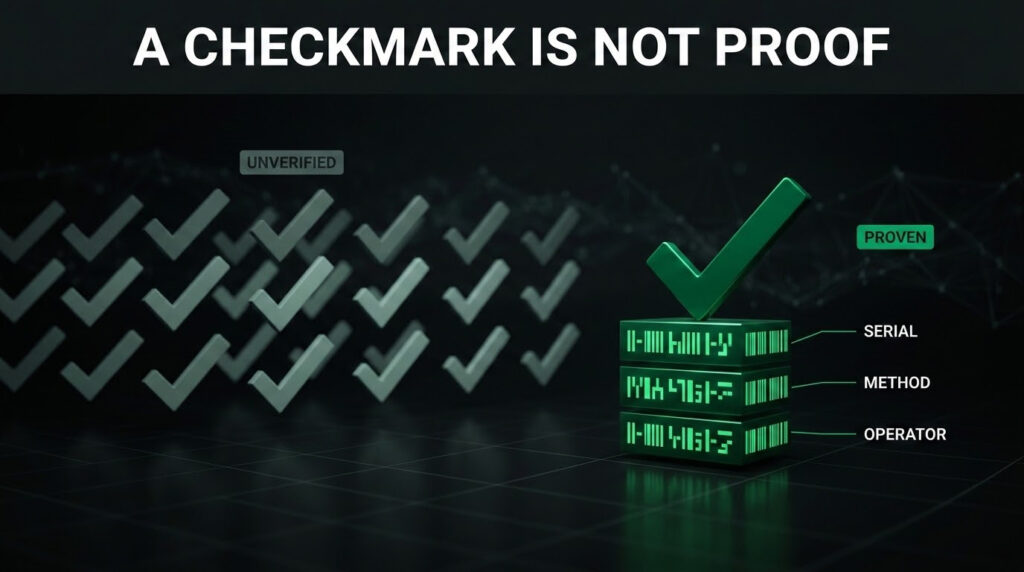
Every tool below produces the same thing when it finishes: a green checkmark and a certificate that says the drive passed. That checkmark is the problem an auditor probes. It proves a wipe ran. It does not prove the wipe ran on *the serial number on the work order*, by the method the contract required, with no gap between the erasure tool’s log and the asset record.
Truzer closes that distance. It does not sanitize and is not the certification holder. The certified operator runs the eraser and holds the credential. Truzer is the proof layer, built on a live ontology that is the digital twin of your operation, that binds each sanitization event to the exact device, method, and operator. Immutable. Audit-ready.
Best data sanitization software, by media type
These tools are ranked on honest merit and best-for fit. The frame is media coverage, because that is what determines whether a tool sanitizes your inventory to standard.
1. Blancco Drive Eraser
Blancco appears on more compliance checklists than any other erasure vendor. It holds ADISA and Common Criteria approvals, multiple national-agency recognitions, and supports NIST 800-88 Clear and Purge plus IEEE 2883 across HDDs, SSDs, and NVMe, with tamper-proof certificates tied to each serial.
Media coverage: HDD, SSD, NVMe (firmware Purge), enterprise SSD.
Best for: Operators serving government, defense, and financial-sector clients where the certification list matters as much as the erasure.
2. BitRaser Drive Eraser
BitRaser, from Stellar, covers HDDs, SSDs, NVMe, and USB media with more than 25 international erasure standards and a cloud console for distributed sites. It carries Common Criteria and ADISA certification, and pricing is friendlier than Blancco for mid-volume operators.
Media coverage: HDD, SSD, NVMe, USB.
Best for: Mid-sized operators processing mixed media from commercial clients who want broad standards support without the enterprise price tag.
3. Active@ KillDisk
KillDisk has been in the market for more than two decades, with one-pass and multi-pass overwrite methods aligned to NIST 800-88 and legacy standards for clients who still require them. The bootable environment runs from USB or PXE, and the industrial license erases multiple drives in parallel.
Media coverage: HDD (strong); SSD support present, confirm firmware-command coverage per model.
Best for: Shops that process primarily HDDs and want a fast, focused, low-cost engine.
4. YouWipe
YouWipe targets ITAD and refurbishment, with ADISA certification, NIST 800-88 alignment, and a reporting module built for resale documentation. Its differentiator is reach across device classes.
Media coverage: HDD, SSD, PCs, and mobile (iOS/Android) via cryptographic erase.
Best for: Operators whose line includes smartphones and tablets, especially those serving carriers or enterprise refresh programs.
5. Certus Erasure
Certus Erasure, from Certus Software, is built for high-volume ITAD and data-center decommissioning. It runs mass erasure through PXE network boot, handles SSDs and NVMe via firmware sanitize commands, generates tamper-proof certificates, and aligns to NIST 800-88 and IEEE 2883, with Common Criteria and ADISA certification.
Media coverage: HDD, SSD, NVMe, mobile, at throughput.
Best for: Large facilities and data-center operators clearing high volumes of mixed media under tight timelines.
Which tool for which media mix
| Your dominant media | Tool to shortlist | Why |
|---|---|---|
| Government/defense, certification-led | Blancco | Widest cert portfolio; HDD, SSD, NVMe to standard |
| Mixed commercial media, multi-site | BitRaser | 25+ standards, cloud console, NVMe firmware Purge |
| Primarily HDDs, cost-sensitive | Active@ KillDisk | Proven overwrite engine, parallel erase, low cost |
| Drives plus mobile devices | YouWipe | Adds iOS/Android crypto-erase to drive coverage |
| High-volume data-center decommission | Certus Erasure | PXE throughput, SSD/NVMe firmware sanitize at scale |
| Any mix needing audit-grade proof | Truzer (proof layer, not a sanitizer) | Binds each erasure to serial, method, operator, immutably |
No single tool wins every media type at the lowest cost. Match the tool to the media that dominates your inbound, confirm SSD and NVMe firmware coverage for your specific models, and price against your volume.
The layer above the list: Truzer
Every tool ranked above sanitizes data. None of them own your chain of custody. Truzer does not compete with them. It sits above them.
Truzer is the tracking, proof, and chain-of-custody layer that ties every sanitized device to an immutable record. Each serial is logged at intake. Each sanitization event records the tool, the method, the standard met, and the operator. That record lives in the ontology, the unified digital twin of your entire ITAD operation, and it is built to answer the exact questions a NAID AAA auditor asks.
Truzer does not sanitize data and does not hold erasure certifications. What it provides is the proof that your sanitization was performed correctly, on the right asset, at the right time, by the right method. Deployed in 48 hours. No rip-and-replace of your existing tools.
Sanitization is the baseline. Proof is the differentiator.
Every tool here can wipe a drive, and the better ones wipe the right way for each media type. The question your next client, auditor, or regulator asks is not whether you sanitized it. It is whether you can prove it. Pick the data sanitization software that matches the media filling your inbound. Then put Truzer on top as the proof layer that makes every erasure defensible.
One ontology. One operational truth. No gaps in the chain of custody.
Try Truzer to see the proof layer running on your ITAD operation. Or book a call to walk through a NAID AAA-ready workflow with your team.
Related ITAD guides